Charge, Monitor, and Analyze your Electric Vehicle
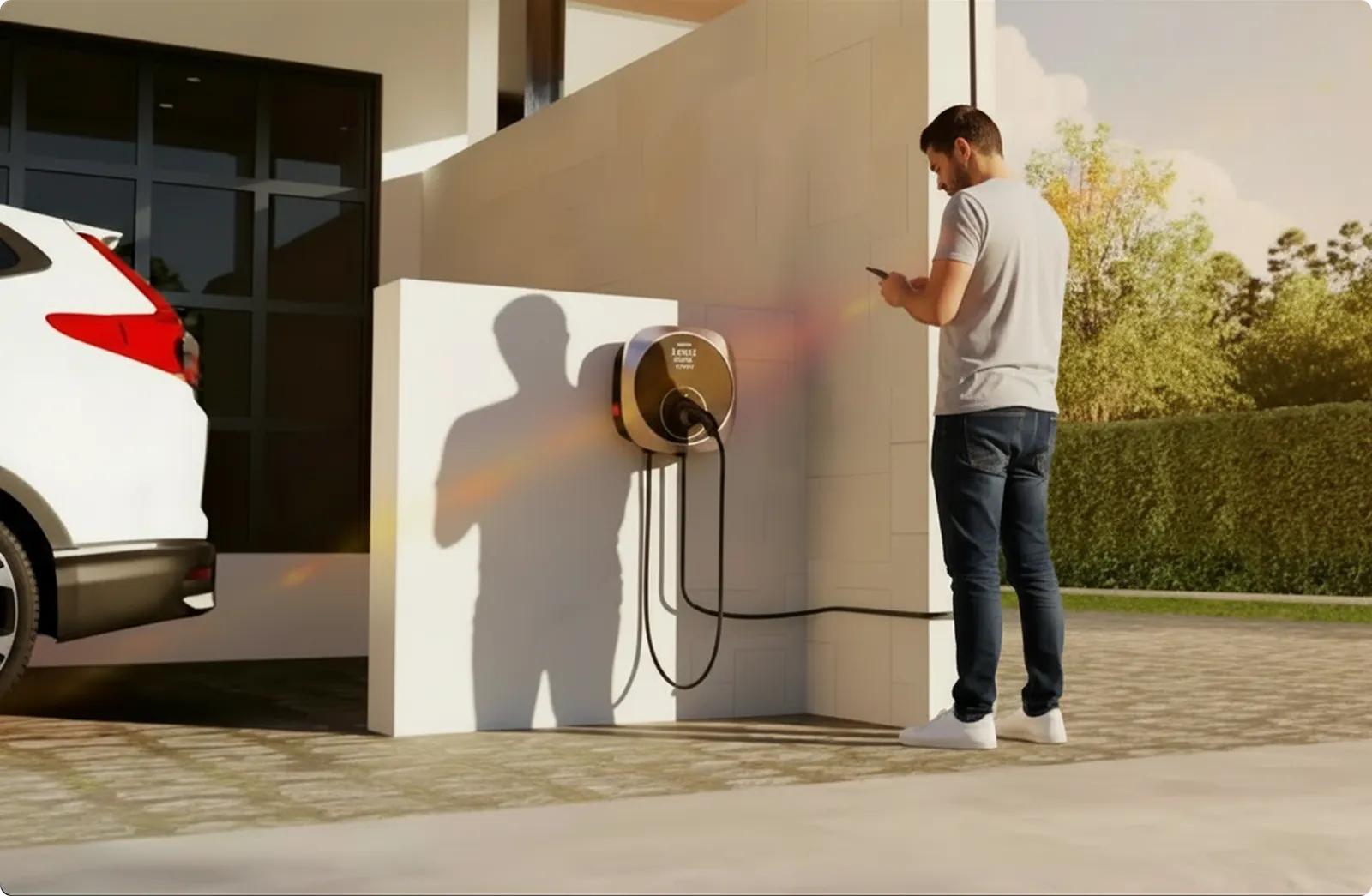
OBJECTIVE
To design the Havells Motron — EV Charger App that enables users to manage their EV charging experience, and in the process help Havells establish and commercialise its first connected EV charging ecosystem.
ROLE
UX Design Lead. Led the end-to-end UX delivery from concept to launch. Translated business and technical requirements into user journeys, and aligned stakeholders on solution direction.
UNDERSTANDING THE PROBLEM
Research Inputs
- Stakeholder interviews (Business & Engineering)
- Competitive benchmarking (Tata Power, Statiq, Zeon, Exicom etc.)
- App store reviews & user forums
- Secondary research on home EV charging behaviour
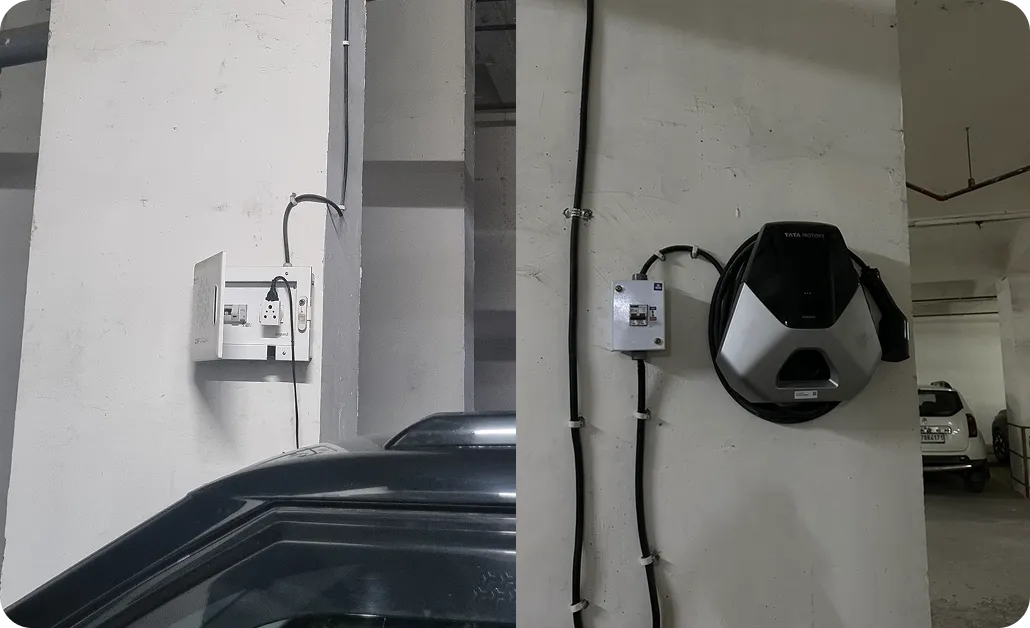
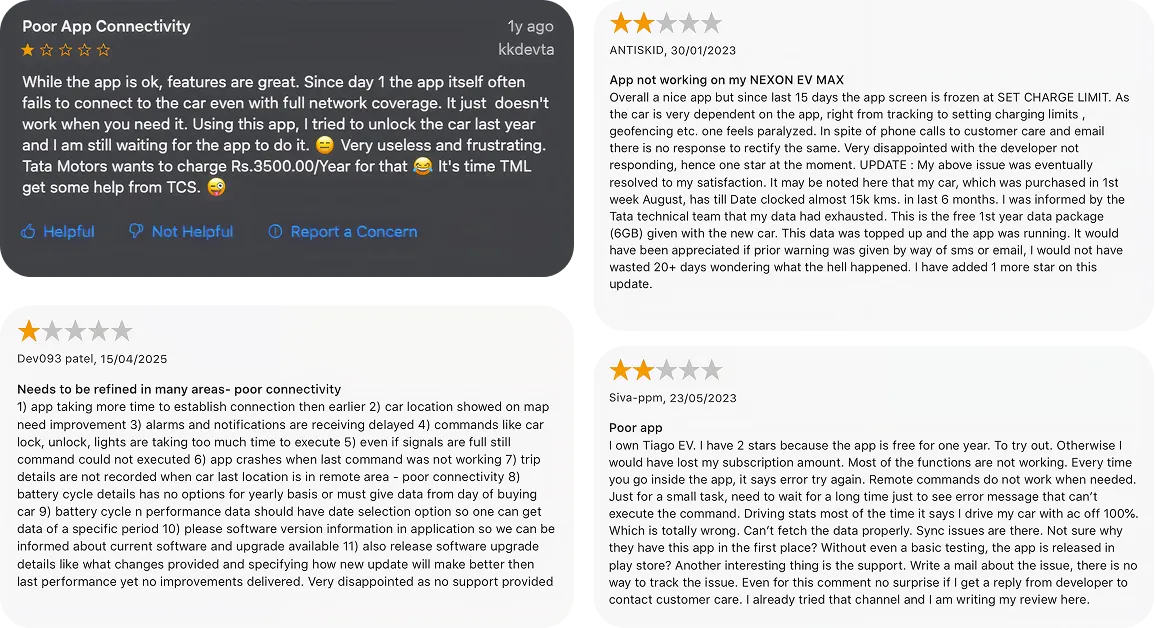
What we learned
1. Charging Lacks Trust & Visibility
Users are often unsure whether charging has actually started, is progressing correctly, or has been interrupted.
2. Troubleshooting Is Too Technical
Status lights, error states, and charging interruptions are difficult to understand, leaving users dependent on support teams.
3. Connectivity Failures Break the Experience
Poor charger-app communication leads to delayed updates, failed commands, and unreliable remote control.
4. Real-World Context Is Ignored
Apartment users frequently face power outages, DG backup limitations, and basement-installed chargers, forcing manual intervention.
BENCHMARKING AND RESEARCH INSIGHTS
Competitive Benchmarking
Studied 40+ features across 7 EV charging ecosystems
ABB · Schneider · Delta · Wallbox · BMW · Exicom · Zappi
Key Insight
Most EV charging apps assume users will always have reliable internet connectivity.
In India, many home chargers are installed in apartment basements where network coverage is often weak or unavailable. This is particularly relevant in high-rise residential communities across NCR, a key target market for Havells.
- This revealed a critical gap: charging should not depend on network availability.
- We saw an opportunity to ensure the app remains an enabler, and doesn't become a blocker, in the charging experience.
- As a result, key onboarding and charger setup interactions were designed to minimize dependence on continuous connectivity.

THE DESIGN SOLUTIONS
The proposed design was based on the following three guiding principles
Reliable daily use
Design for reducing friction, and offer convenience.
Helpful onboarding
With system status + fallback.
Sticky usage
Via personalization & insight-driven History dashboard.
PART 1
Reliable daily use
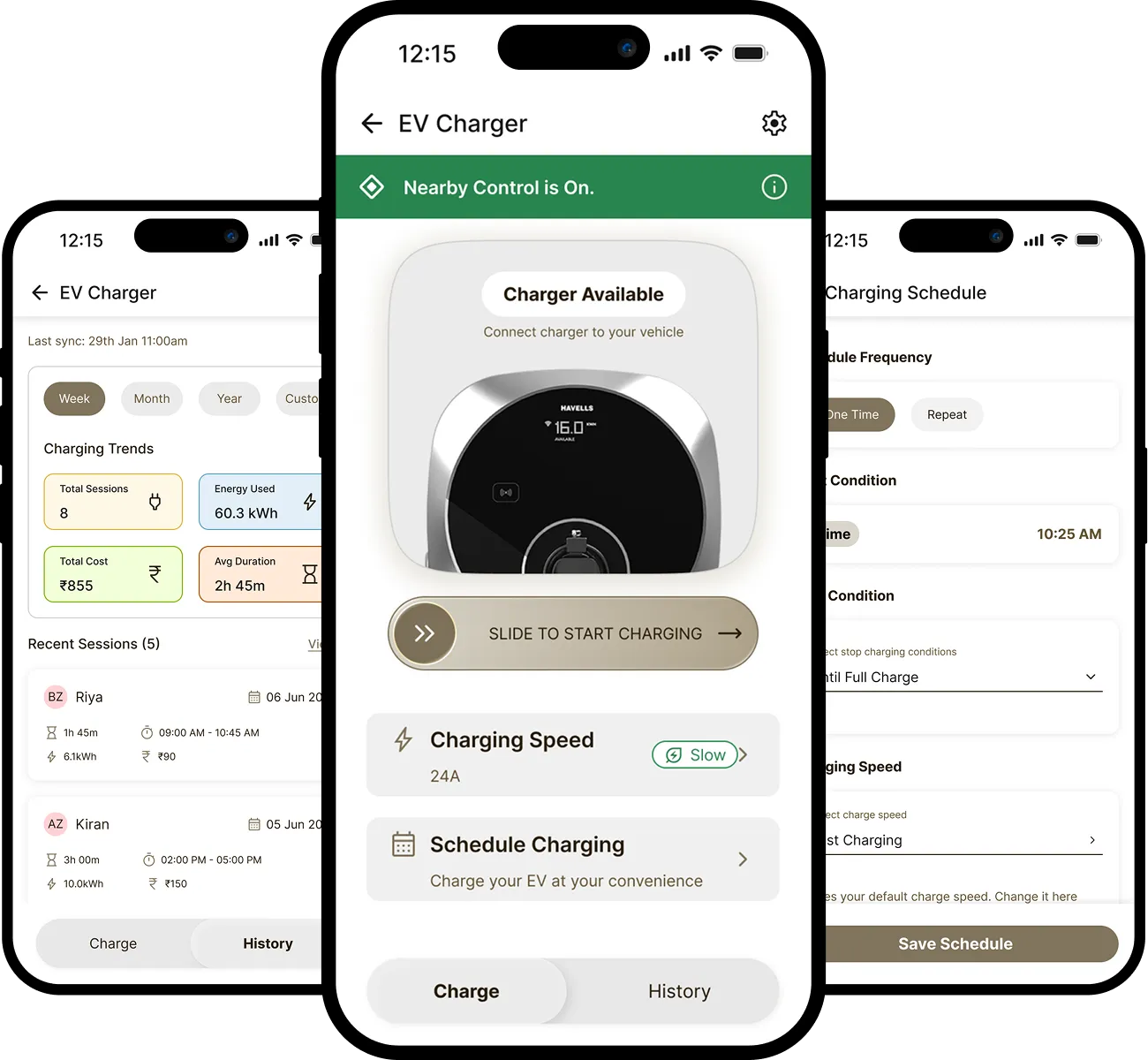
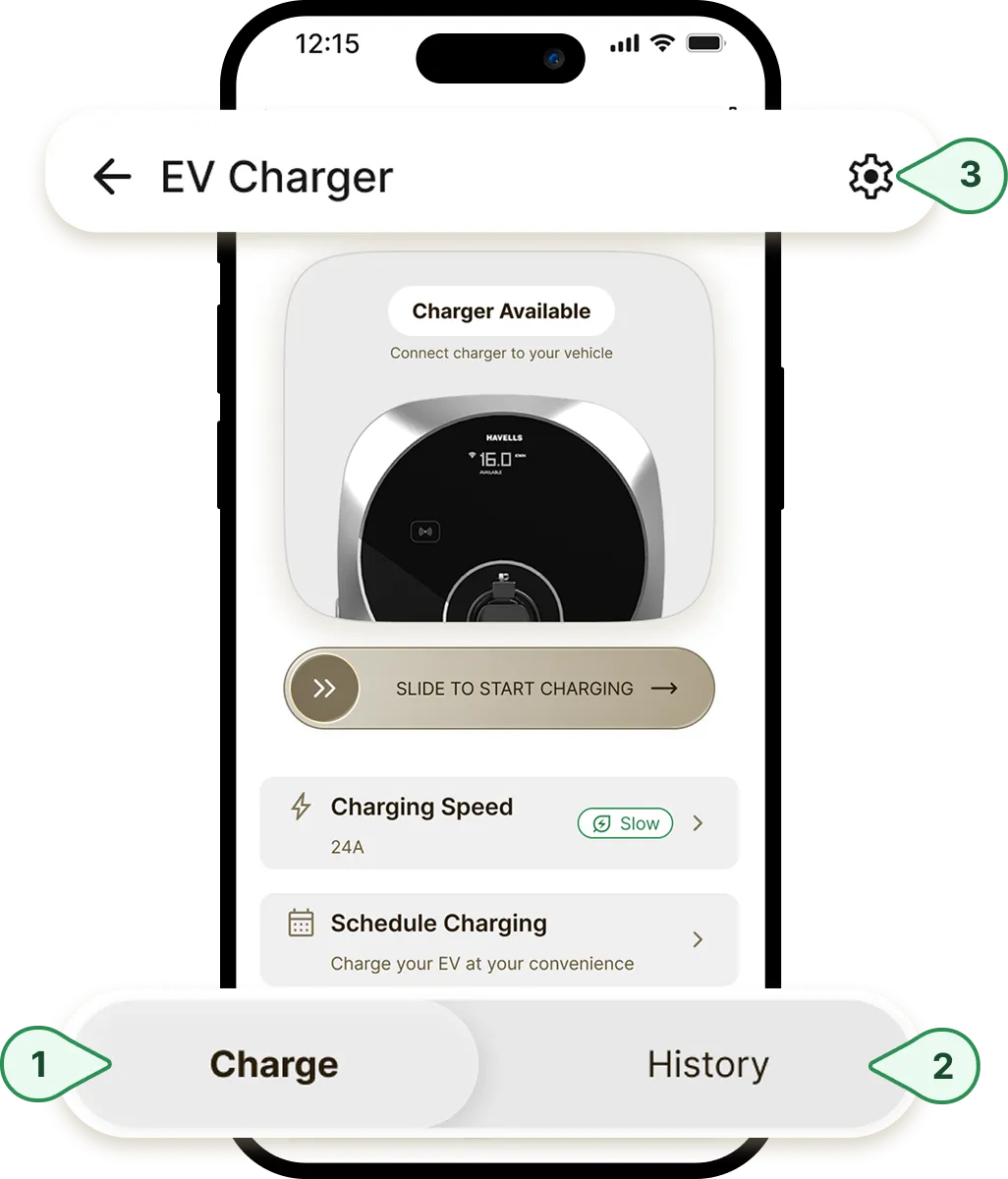
The entire app is divided into three simple sections:
Charge
Incorporates all charging-related tasks including start/stop charging, scheduling a charge, and more.
History
Aimed at improving transparency and re-engagement.
Settings
Settings related to device, safety & security, and personal information.
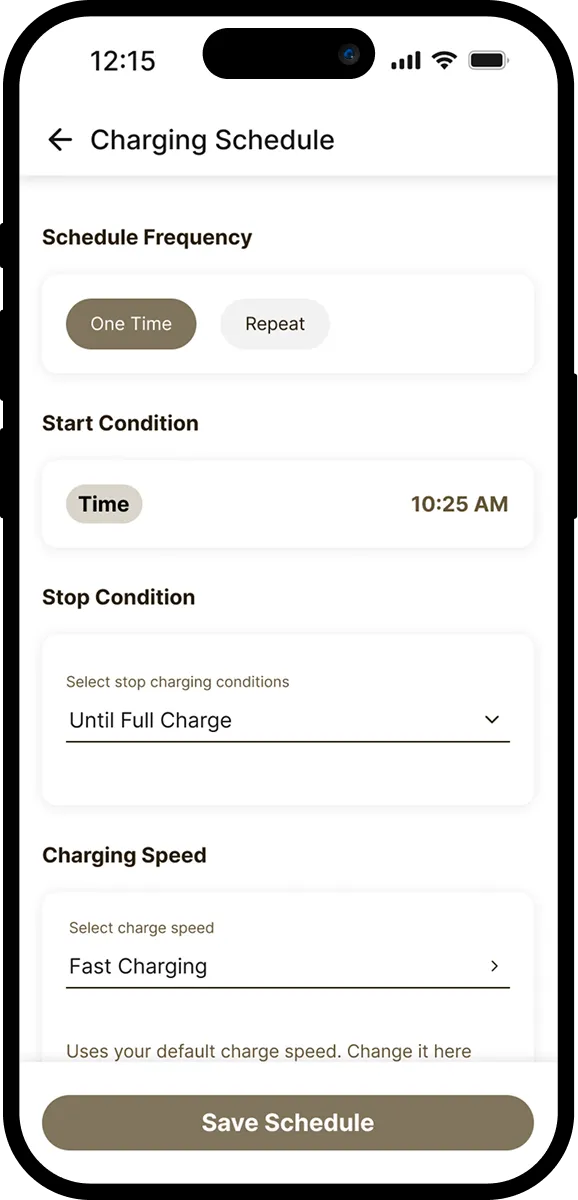
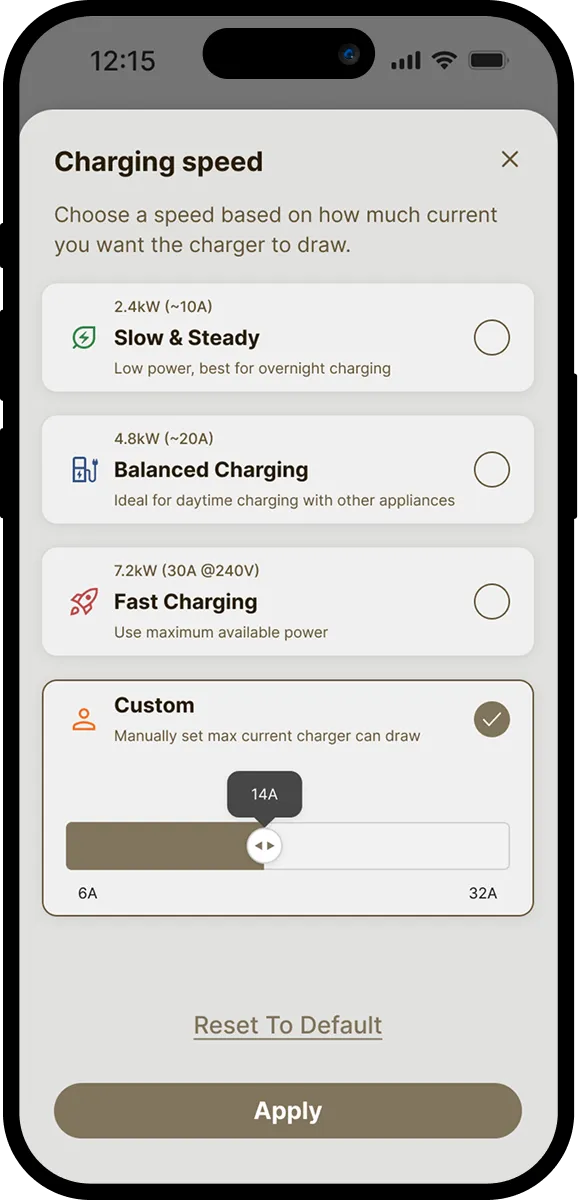
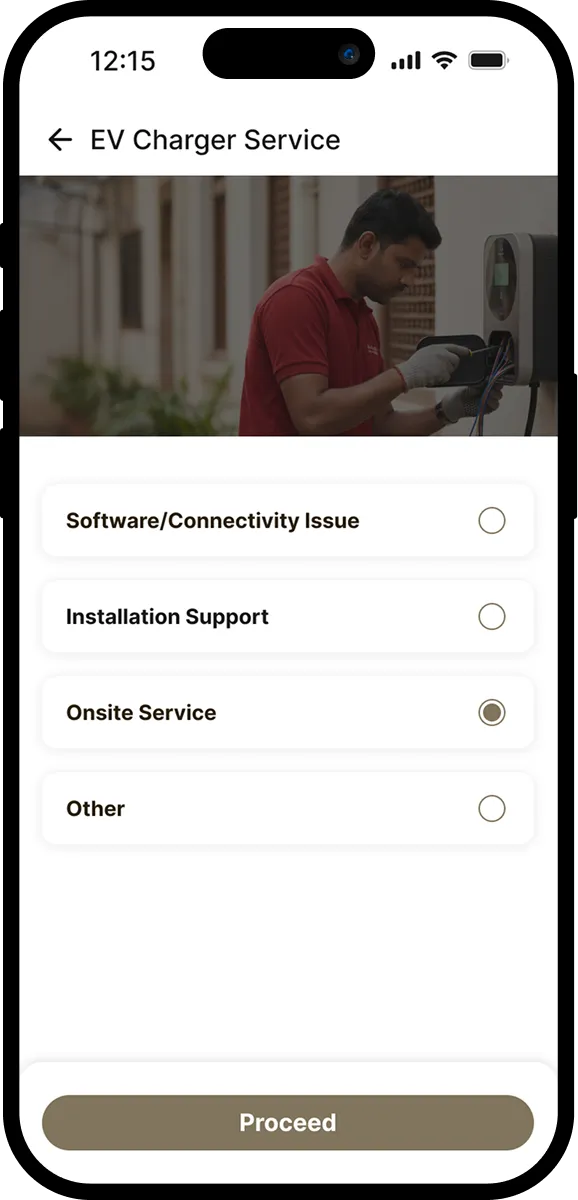
Other features aimed at improving the day-to-day charging experience
Expected Impact
For Users
Features like Schedule charging and Charging history are designed to be meaningful additions to the user's charging experience and are expected to generate higher 30-day return usage.
For Business
Repeat engagement is an early indicator of user value, product reliability, and long-term retention — all of which contribute to stronger customer loyalty over time.
PART 2
Helpful onboarding
What is onboarding?
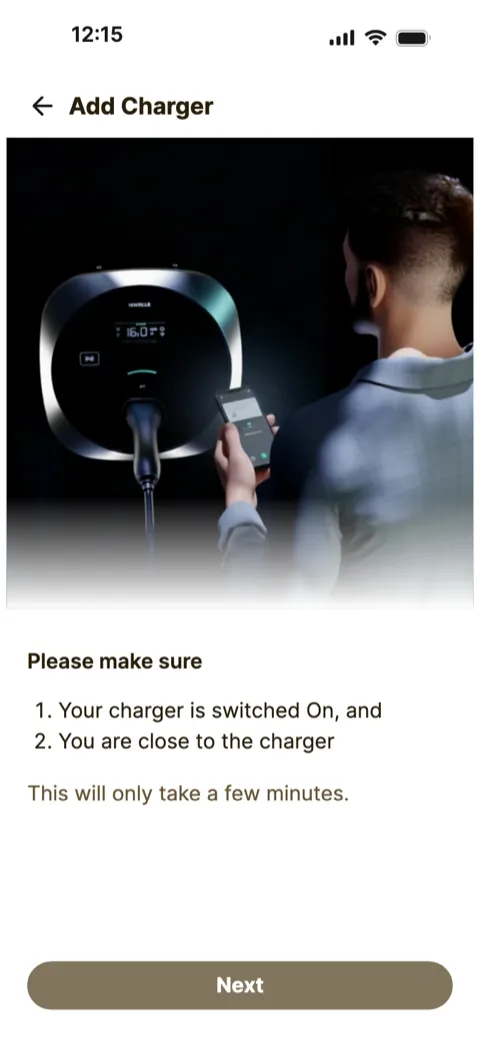
Onboarding is the first setup step where users add the EV charger to the app. During this step, they connect the charger to Wi-Fi and link it to their account so they can monitor and control it from their phone.
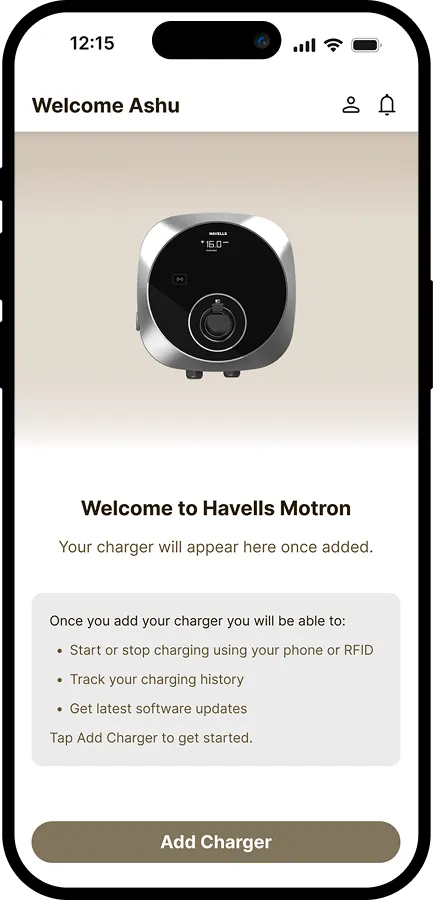
Current onboarding screen of the Havells Motron app.
The Problem
Smart device setup often fails when users do not know what is happening.
Fact: more than 50% of DIY smart-home users report setup or connectivity issues.
After users entered their Wi-Fi details, the app showed a loading screen while the charger completed several steps in the background. The app did not show which step was in progress.
Before
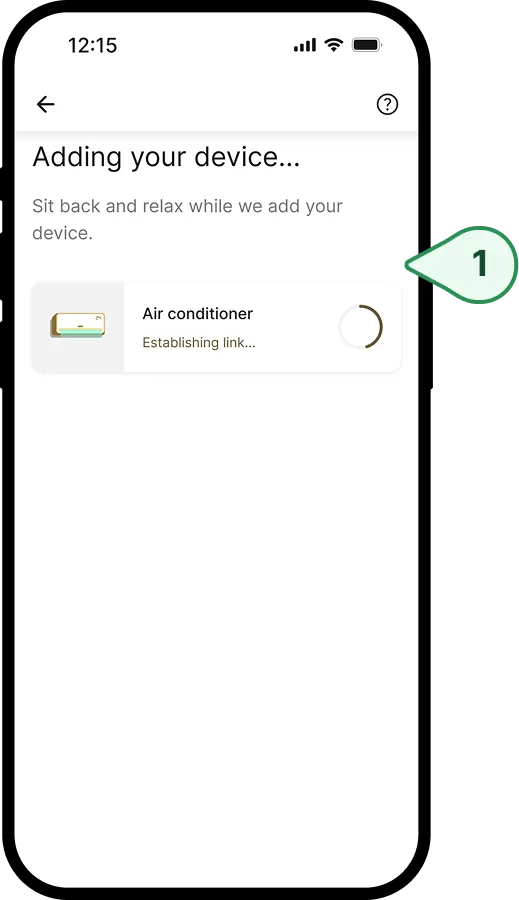
Existing onboarding-in-progress screen of the Havells One app uses an indefinite loader.
If setup failed, users had to guess the reason. They did not know if:
- They entered the wrong Wi-Fi password
- The Wi-Fi had no internet
- The app failed to link the charger to their account
The Design Solution
We replaced the single loading screen with a step-by-step setup view. The redesigned flow shows users which setup step is running, which steps completed, where the setup failed, and what they can do to fix the issue.
After
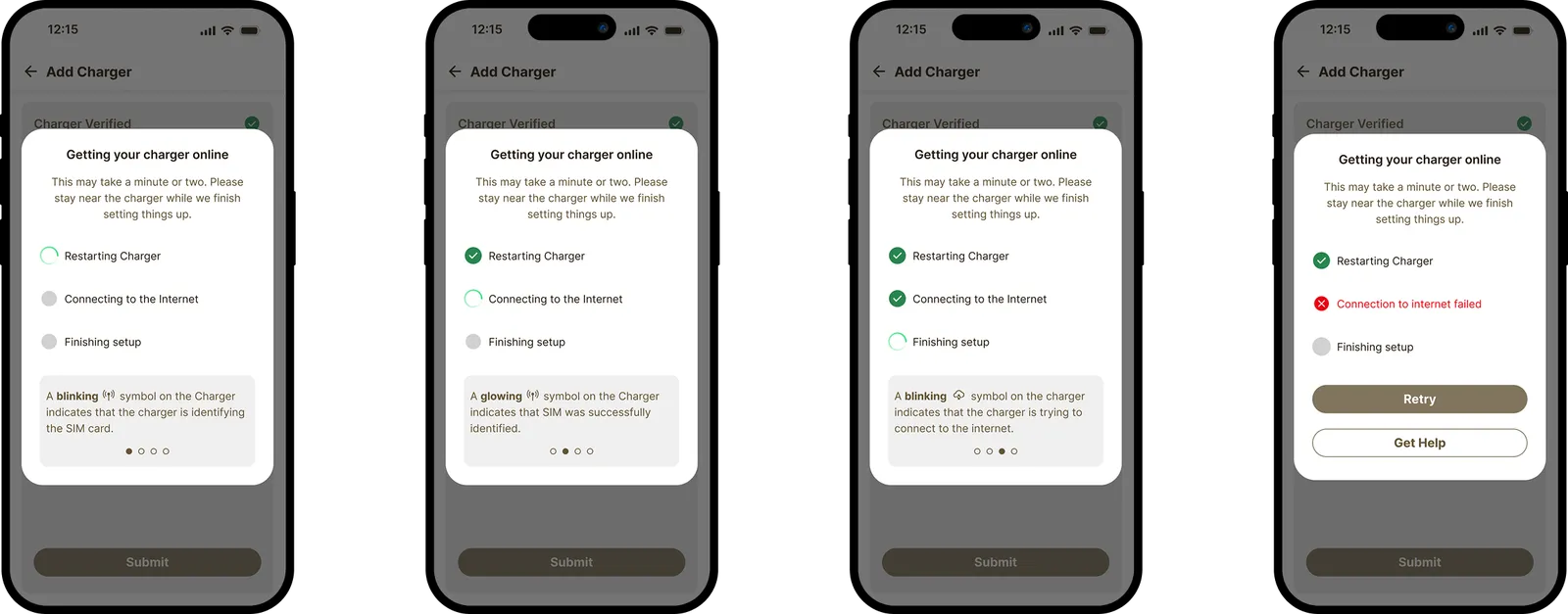
Showing each setup stage in real time reduced uncertainty, eased waiting-time anxiety, and improved the perceived reliability of the process.
The Impact
We conducted usability testing of the before and after onboarding flows with 10 internal employees. The new design improved the System Usability Score from 56.25 for the Havells One app to 83.75 for the Havells Motron app.
DESIGNING FOR EV CHARGER-SPECIFIC NEEDS
Many users install EV chargers in basements, parking areas, or outdoor spaces where Wi-Fi may be weak or unavailable. It was made clear during the discovery stage that network connection should not be a blocker for the setup.
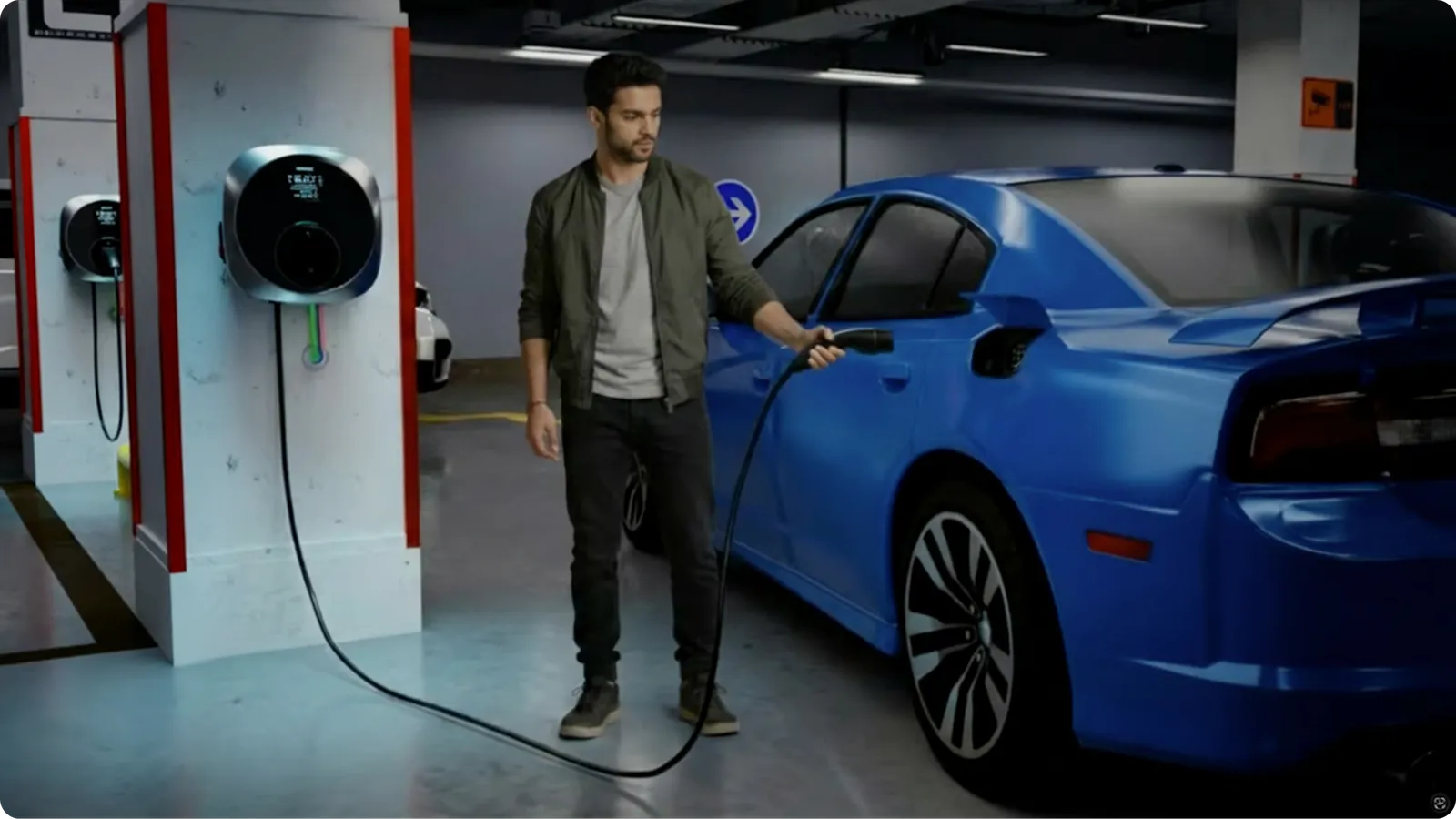
To support this, we designed two setup paths:
Online Mode — Connect with internet
For users who want remote monitoring and control.
Nearby Mode — Use without internet
For users who want to set up the charger in local mode.
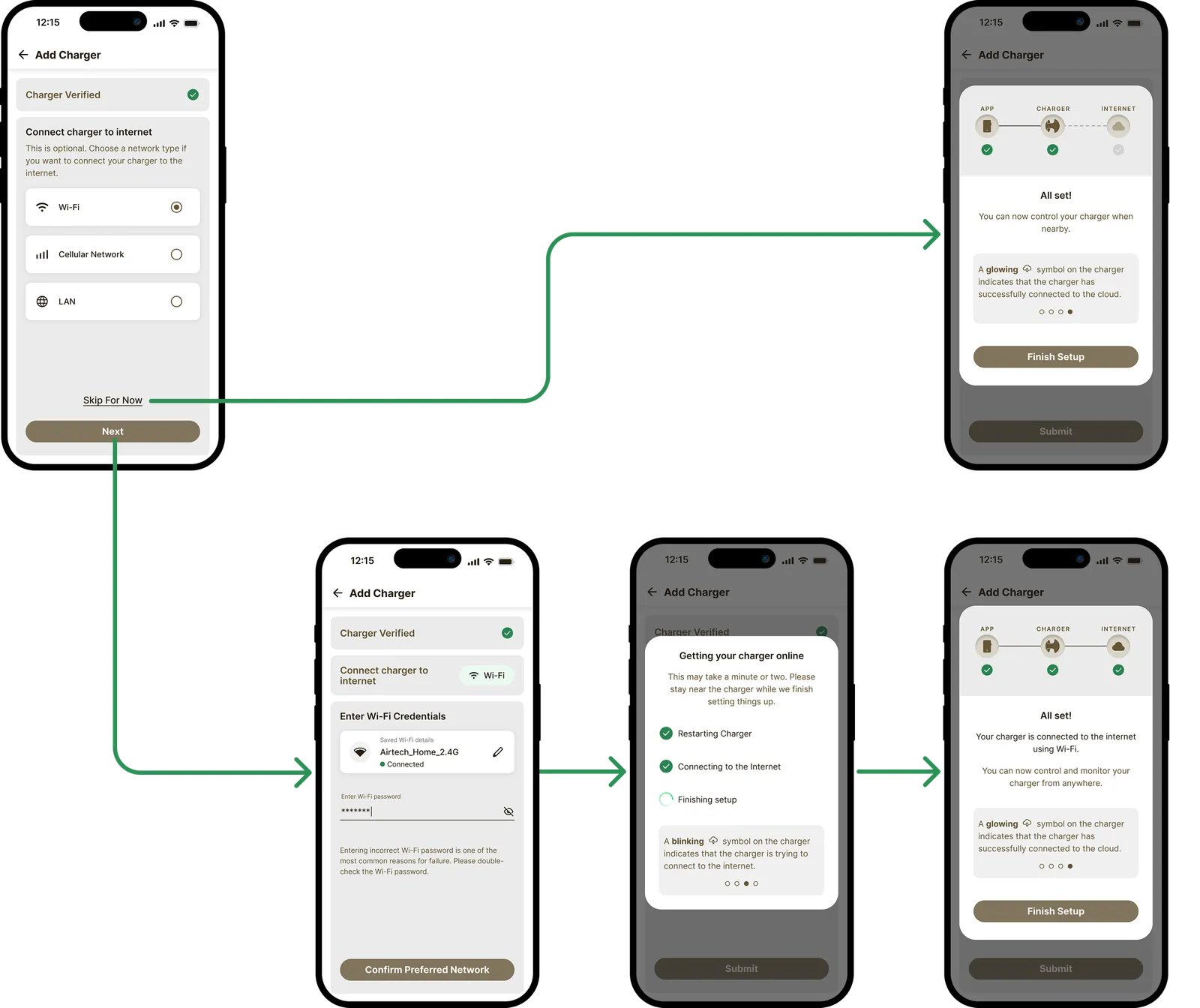
The setup experience explains what has successfully completed. The UI brings out the relationship between the App-Charger-Internet more clearly, helping users understand the system architecture at a glance.
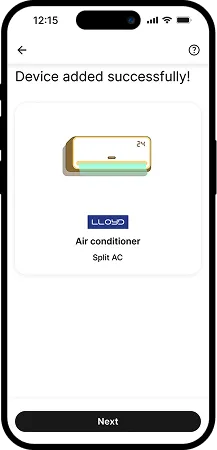
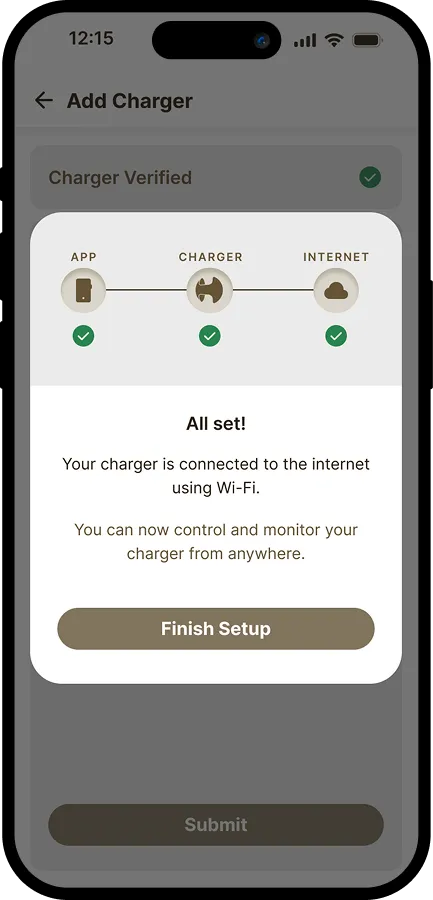
Left: existing setup-complete UI of the Havells One app. Right: redesigned setup-complete UI of the Havells Motron app.
Scalability: the same design pattern is used to show different connection states at deeper levels in the app.
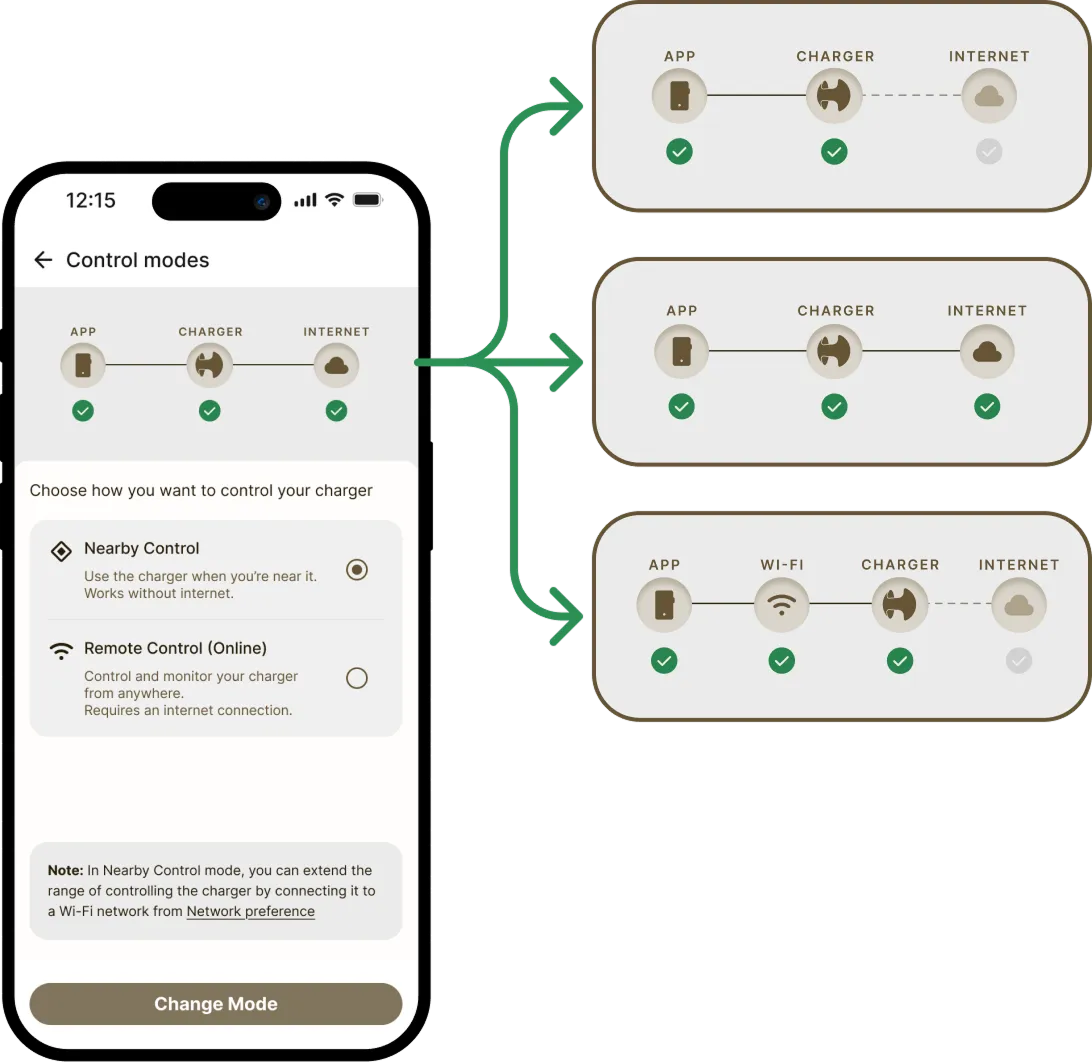
The Impact
Reduced Onboarding friction
Introduced an offline-capable setup path, allowing users to onboard chargers even in poor Wi-Fi environments.
Improved First-Time Setup Success
Removed internet connectivity as a blocking dependency, increasing the likelihood of successful setup during the first attempt.
Improved System Status Visibility
Made the relationship between App-Charger-Internet explicit, helping users understand setup outcomes and charger state at a glance.
CLARITY THROUGH SYSTEM STATUS
Design intervention 1
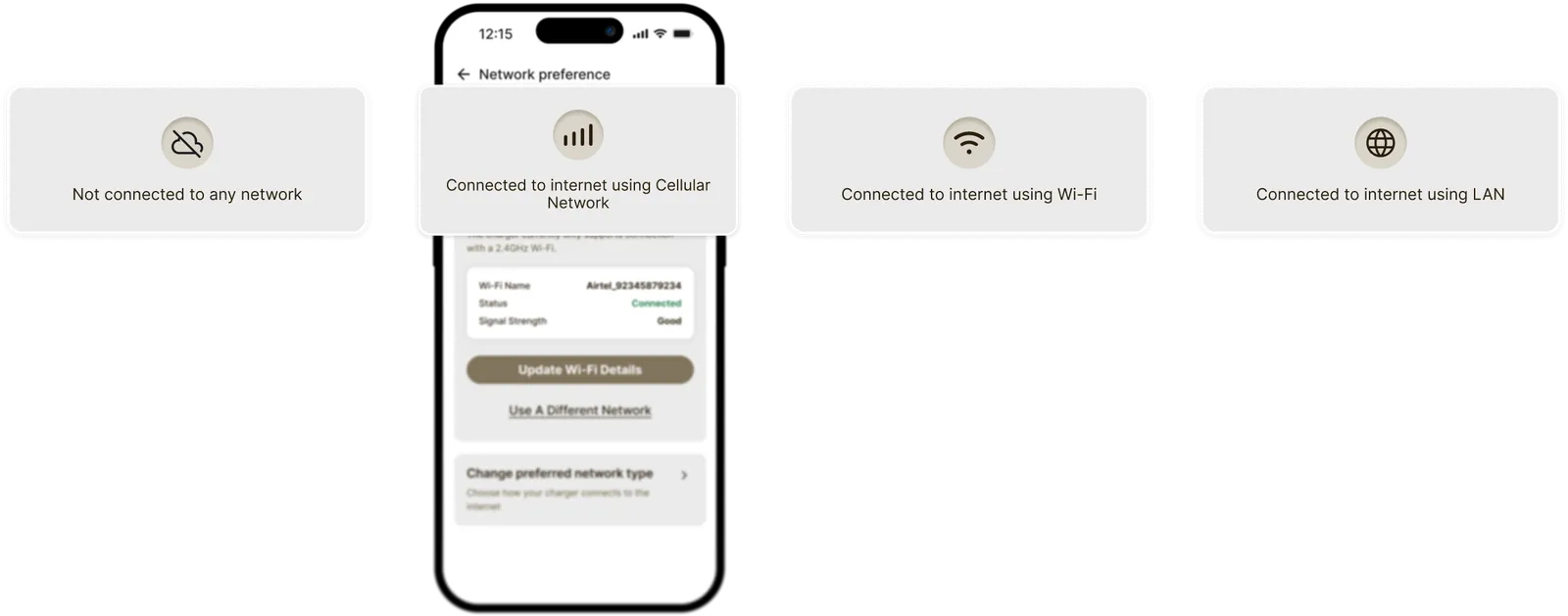
Clarity by making system status visible at a glance was practiced throughout the app design.
E.g. in the example below the user is clearly shown whether their device is connected to the internet or not — and if yes, through which network.
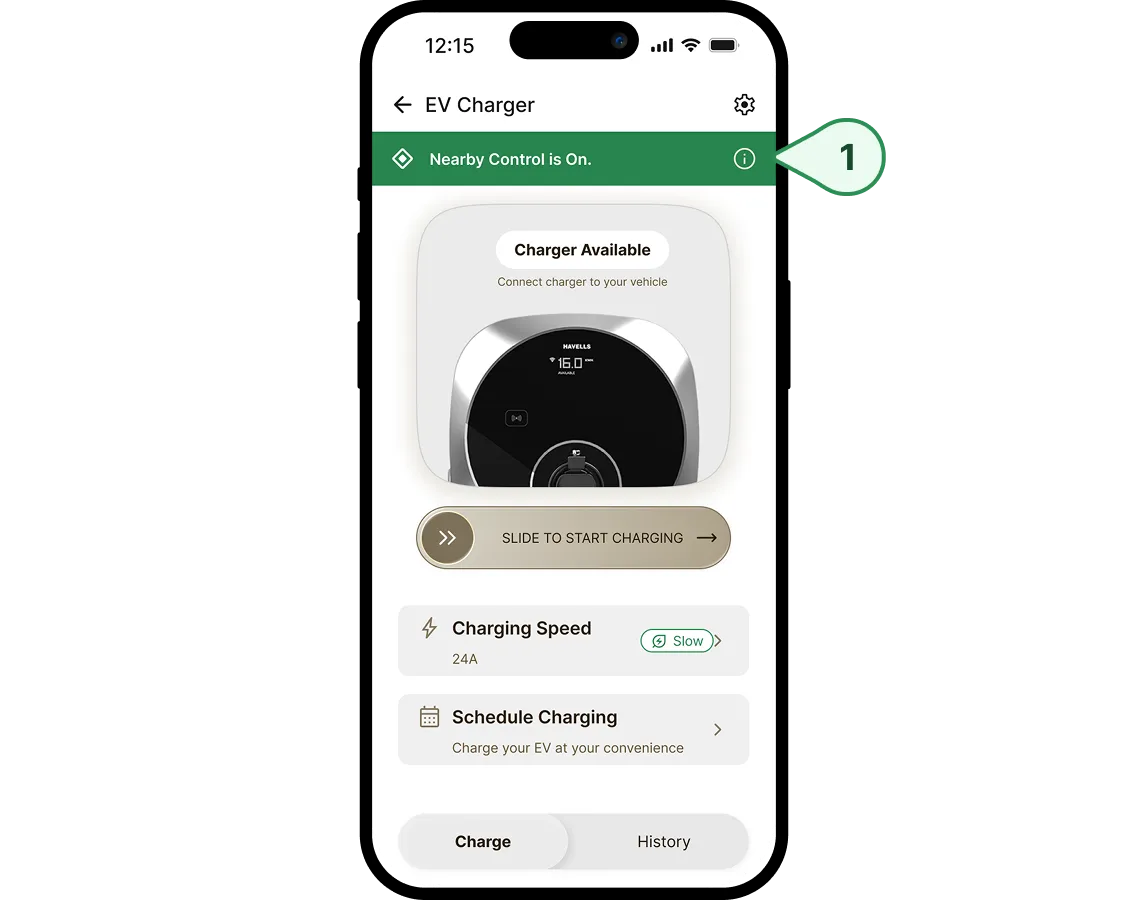
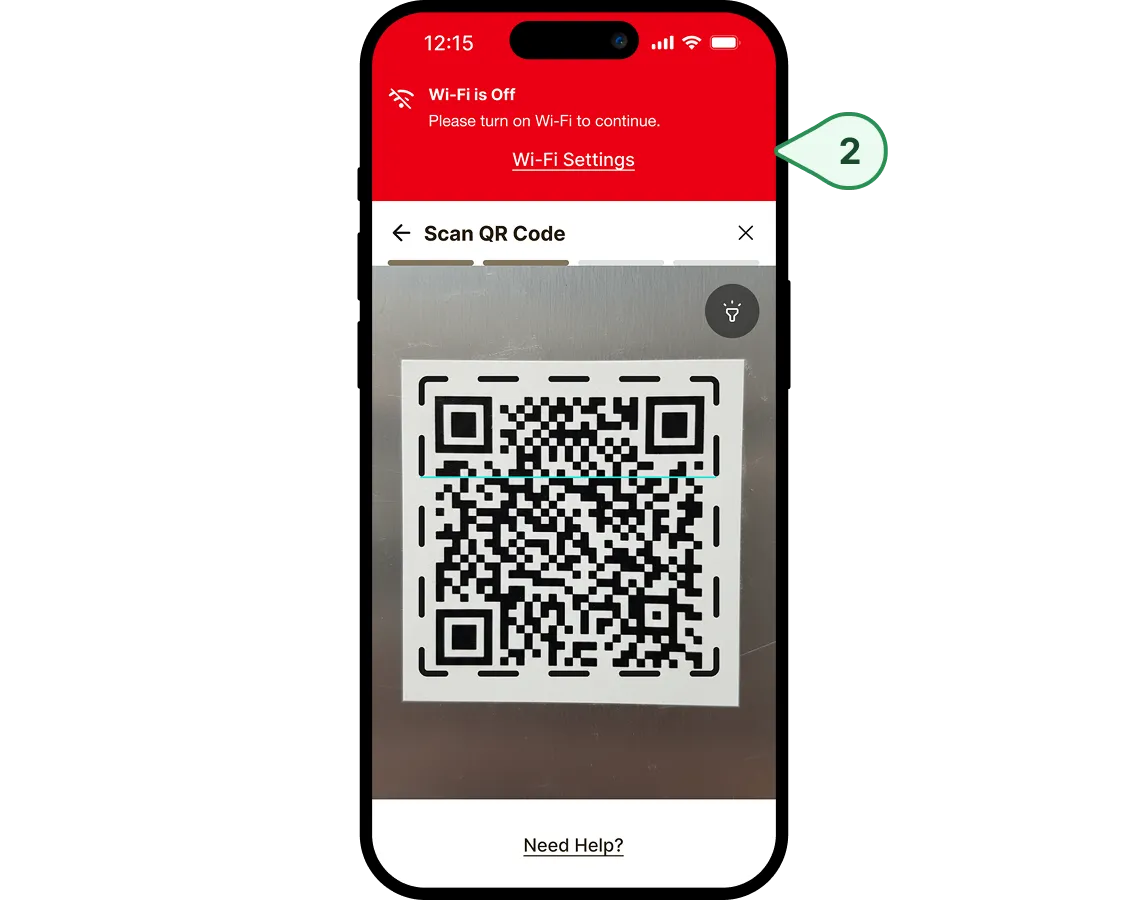
Design intervention 2
Persistent status banners keep users aware of which control mode is active and whether the charger is ready to use.
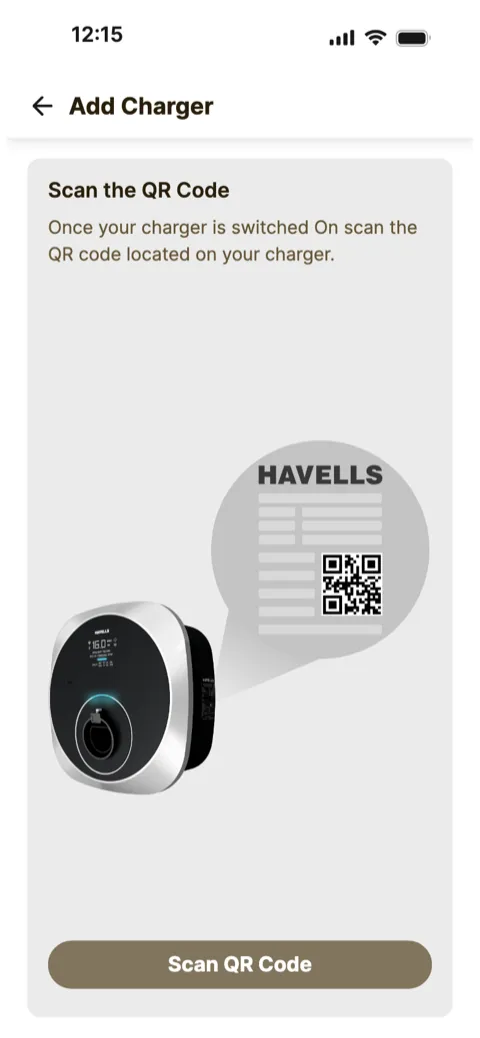
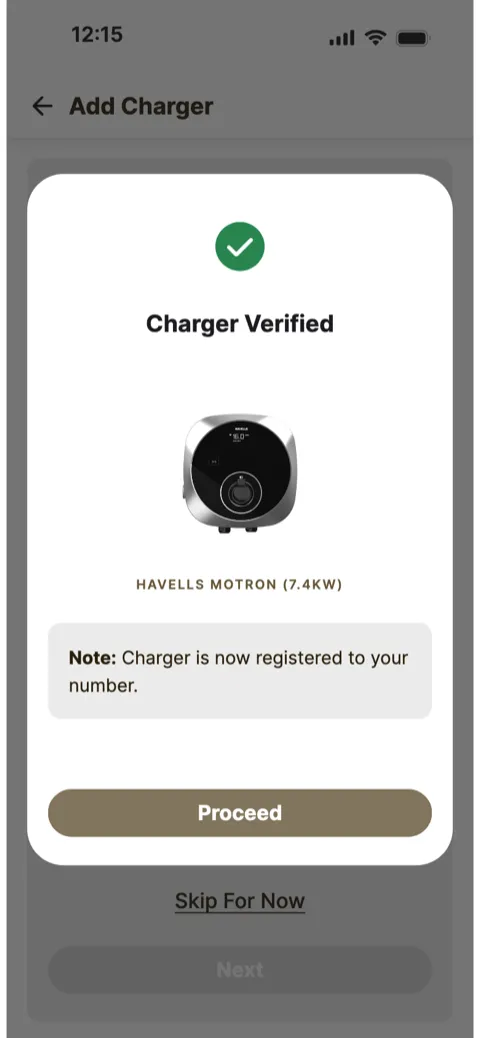
PROTOTYPE
MY CONTRIBUTIONS
1. Supporting commercialisation for a ₹60Cr market segment for Havells
Havells Motron is expected to bring revenue of ₹60Cr in 2026-27, projected to grow to ₹100Cr by 2030. My team and I supported commercialisation by delivering the end-to-end user experience within 3 months.
2. Translating complex engineering concepts into user-friendly journeys
The initial project requirements were dominated by technical jargon. Aligning cross-functional stakeholders on user-friendly copy and journeys was a challenge I thoroughly enjoyed on this project.
Credits
The team behind it
Designers who shaped this project with me.